TiviMate Premium costs $9.99 per year or $33.99 for a lifetime license. It unlocks multiple playlists, PVR recording, favorites, catch-up TV and multi-view on up to 5 devices simultaneously. The free version works fine with one playlist — the moment you want a second provider, recording, or proper channel organization, the upgrade makes sense. For daily IPTV use, the lifetime license pays for itself in under 4 years.
That is the short answer. Below is every feature, the exact pricing, and step-by-step activation for Fire Stick, Android TV and Android Phone.
Before upgrading, verify your current playlist is working →. Premium adds features on top of your provider — it does not fix a broken stream.
Free vs Premium — full comparison
| Feature | Free | Premium |
|---|---|---|
| Playlists | 1 | Unlimited |
| Favorites & channel groups | ✗ | ✓ |
| PVR recording | ✗ | ✓ |
| Scheduled recording | ✗ | ✓ |
| Multi-view (up to 9 channels) | ✗ | ✓ |
| Catch-up TV | ✗ | ✓ |
| EPG customization | Basic | Full |
| Parental controls | ✗ | ✓ |
| Subtitles & audio tracks | ✗ | ✓ |
| Devices per license | 1 | 5 |
| Price | Free | $9.99/yr or $33.99 lifetime |
The free version is a fully functional IPTV player. One playlist, live TV, basic EPG — that is enough to get started. Premium is about stacking providers, organizing channels, and recording.
What Premium actually unlocks
TiviMate Premium Price — Annual vs Lifetime
7-day free trial included. Renews automatically each year. Best if you want to test Premium thoroughly before committing long-term.
Pays for itself in under 4 years. No renewals, no price increases. Covers 5 devices — that is roughly $6.80 per device, forever.
Which plan to pick:
If you have never used TiviMate Premium before, start with Annual. The 7-day trial gives you real time to test recording, multi-view and multiple playlists under your actual setup. If everything works as expected, you can switch to Lifetime at renewal — the math is clear at under $3 per year break-even.
If you are already confident Premium is right for you, Lifetime is the obvious choice. TiviMate has been stable for years and there is no indication the dev is abandoning it — the risk of paying $33.99 once and the app disappearing is low compared to paying $9.99 indefinitely.
Is TiviMate Premium worth it?
The clearest trigger for upgrading is the second playlist. The moment you want to add a backup provider alongside your main one — or test a new service without losing your current setup — the free version’s one-playlist limit stops you cold. That is when most people upgrade.
Recording is the second trigger. Scheduling shows from the EPG while you are at work and watching them later is a genuine quality-of-life improvement, and TiviMate’s PVR is one of the cleanest implementations in any IPTV app.
Multi-view is niche. Most people try it once and go back to full-screen. But for sports days where multiple games run simultaneously, it genuinely earns its keep.
One thing Premium does not fix: a bad provider. If your streams buffer on the free version, they will buffer on Premium. Test your connection speed → before assuming an upgrade will solve playback problems.
How to buy TiviMate Premium
TiviMate Premium is purchased through tivimate.com — not through Google Play or the Amazon Appstore. The website purchase gives you a license you can activate on any 5 devices regardless of platform.
Open tivimate.com in a browser. Click Sign Up and register with your email. This account is what you will use to log in on all your devices — use an email you check regularly.
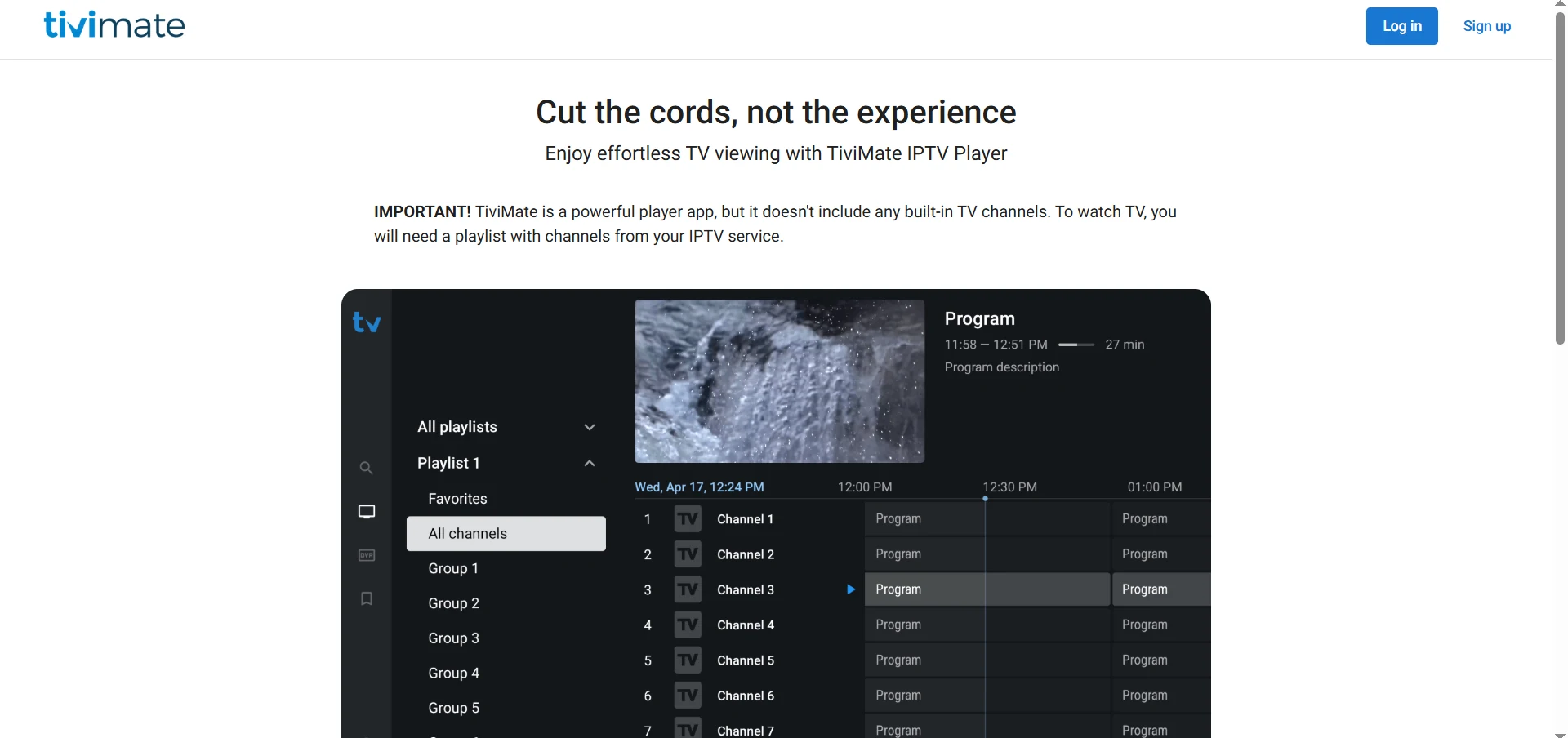
Select your plan. Annual includes a 7-day free trial. Lifetime has no recurring charge. Complete the purchase — payment is processed via Google Pay, PayPal or card depending on your region.
After purchase, your tivimate.com email and password are your Premium license. You will enter them on every device you want to activate. No license key, no serial number — just your account login.
Your TiviMate account now has Premium access. Follow the activation steps below for your device.
How to activate TiviMate Premium
Activation is the same on all devices: open TiviMate → Settings → log in with your tivimate.com account. The steps differ slightly by platform.
On Fire Stick
Launch TiviMate on your Fire Stick. Open Settings from the left sidebar. Scroll down and select Account (or Unlock Premium depending on your version).
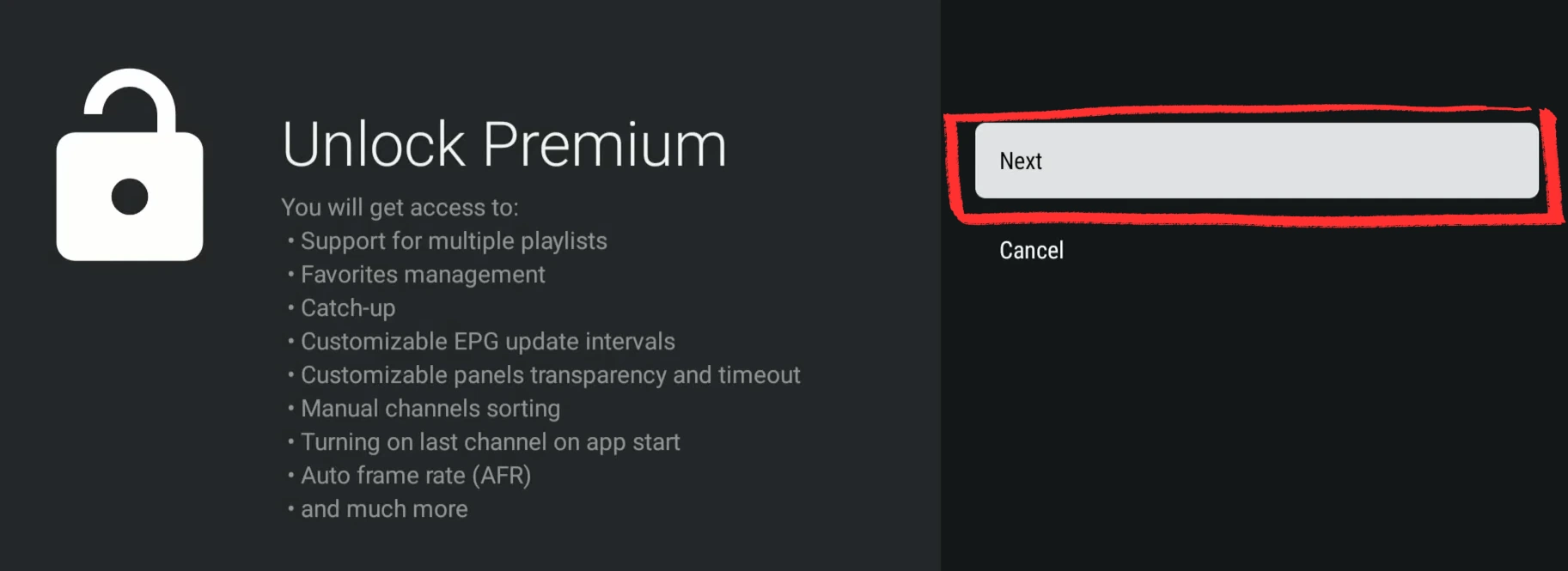
Enter your tivimate.com email and password. TiviMate checks your account, finds the active Premium license, and activates immediately. No code, no confirmation email — just instant access.
Multiple playlists, recording, multi-view and favorites are now unlocked.
On Android TV Box
Launch TiviMate on your Android TV Box. Go to Settings from the main menu and select Unlock Premium at the top of the settings panel.
/tivimate-settings-unlock-premium-playlists-android-tv-box-iptv.webp)
Enter your tivimate.com email and password on the login screen. Premium activates as soon as the login completes.
/tivimate-premium-enter-mail-password-android-tv-box-iptv.webp)
All Premium features are now available across your Android TV Box.
On Android Phone or Tablet
On Android phones, TiviMate Premium is purchased and activated through a companion app called TiviMate Companion.
Inside TiviMate on your Android phone, open Settings from the left sidebar. Tap Unlock Premium at the top.
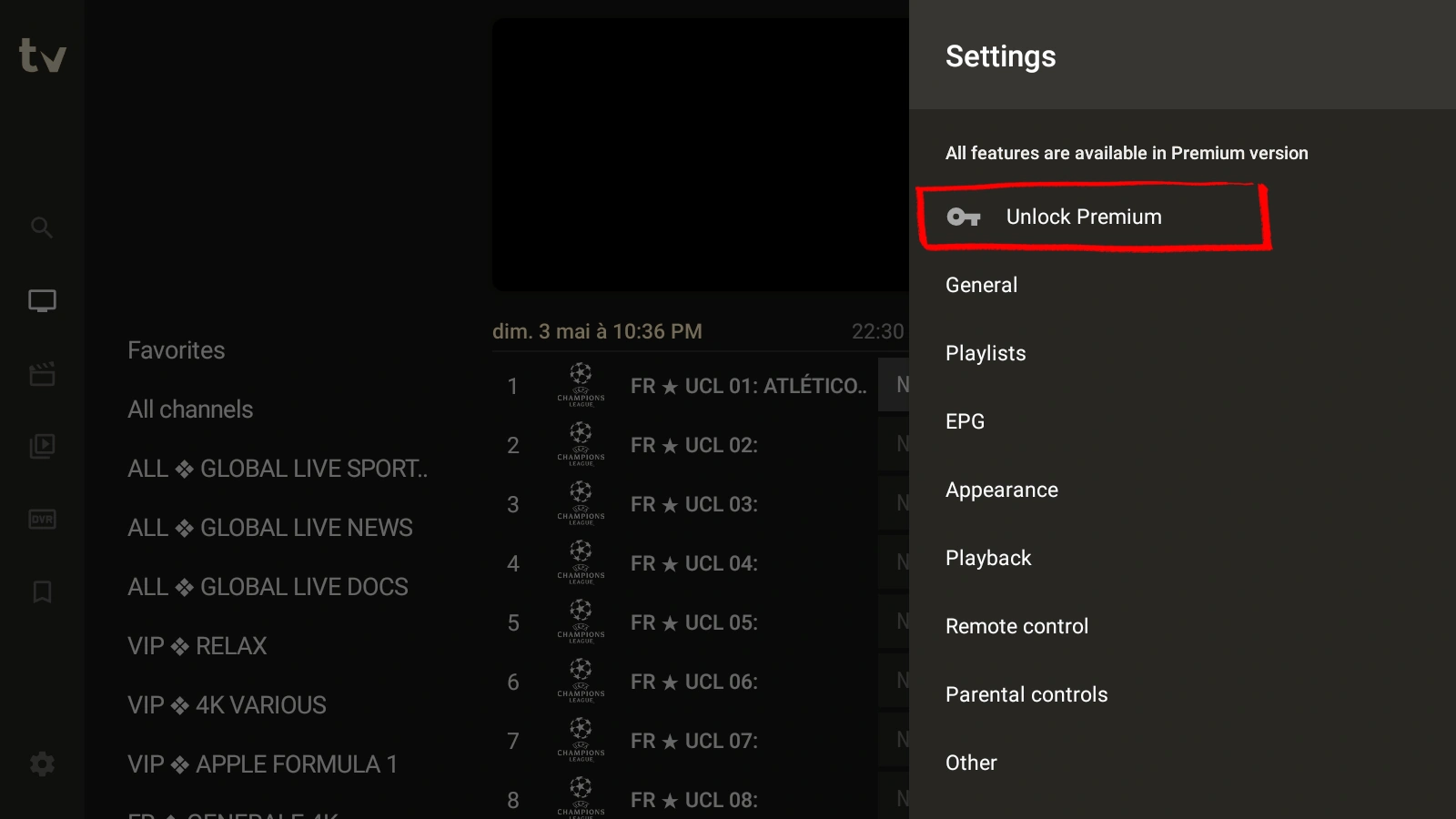
TiviMate prompts you to install TiviMate Companion from Google Play (published by Armobsoft FZE). Install it — it is a lightweight account manager, not a second player.
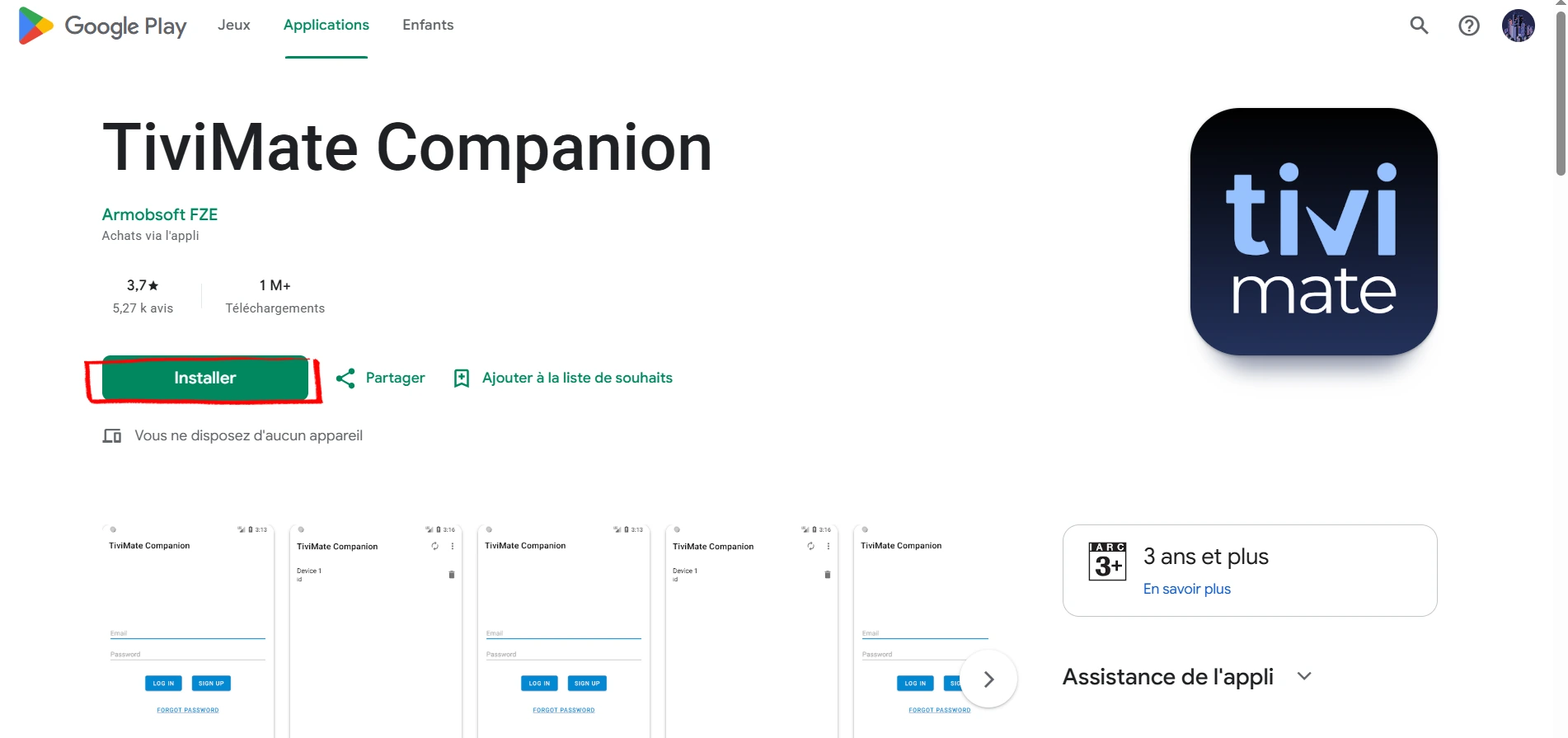
Open TiviMate Companion, tap Account, then Sign Up (or Log In if you already bought on tivimate.com). Select Annual or Lifetime and complete the purchase through Google Play's payment flow.
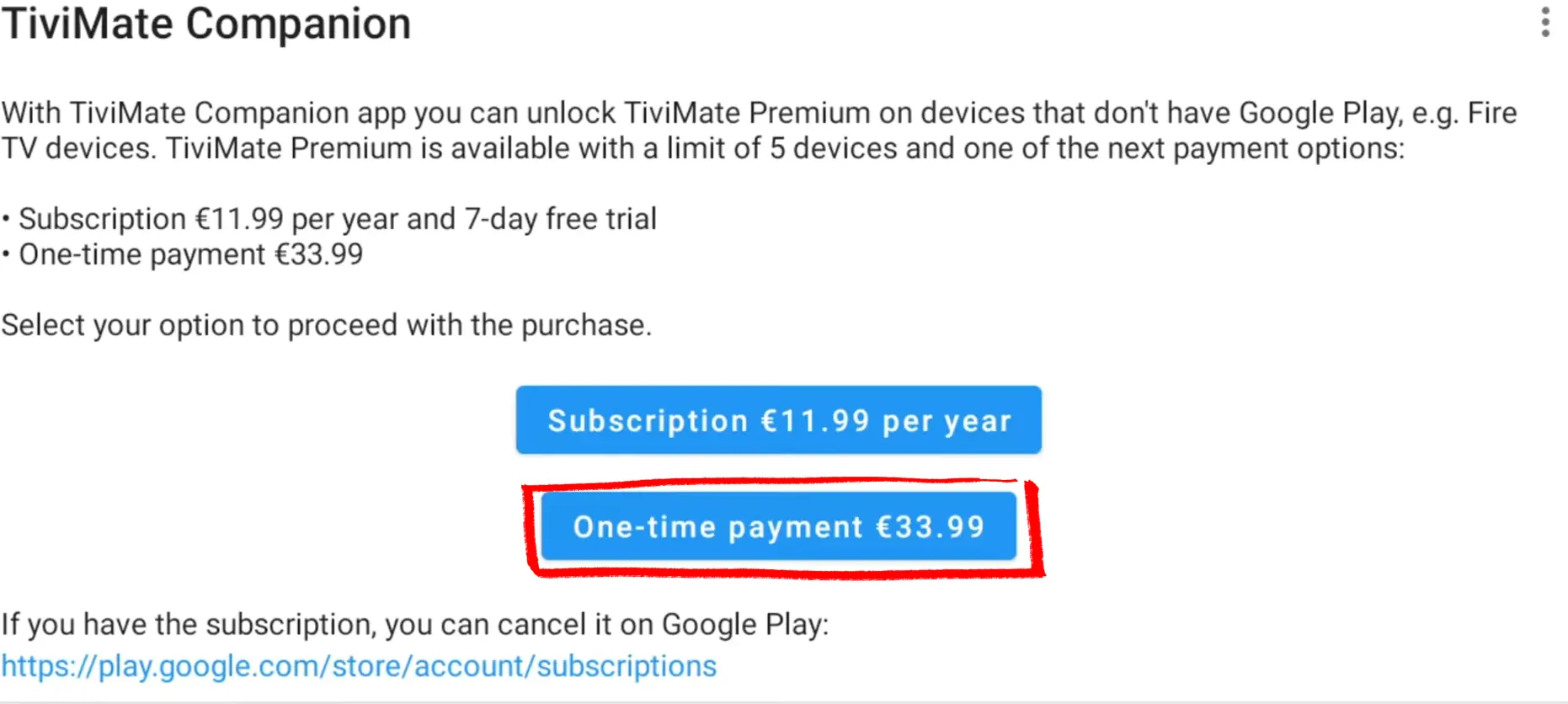
Back in TiviMate, go to Settings → Unlock Premium again and log in with your tivimate.com email and password. Premium activates immediately.
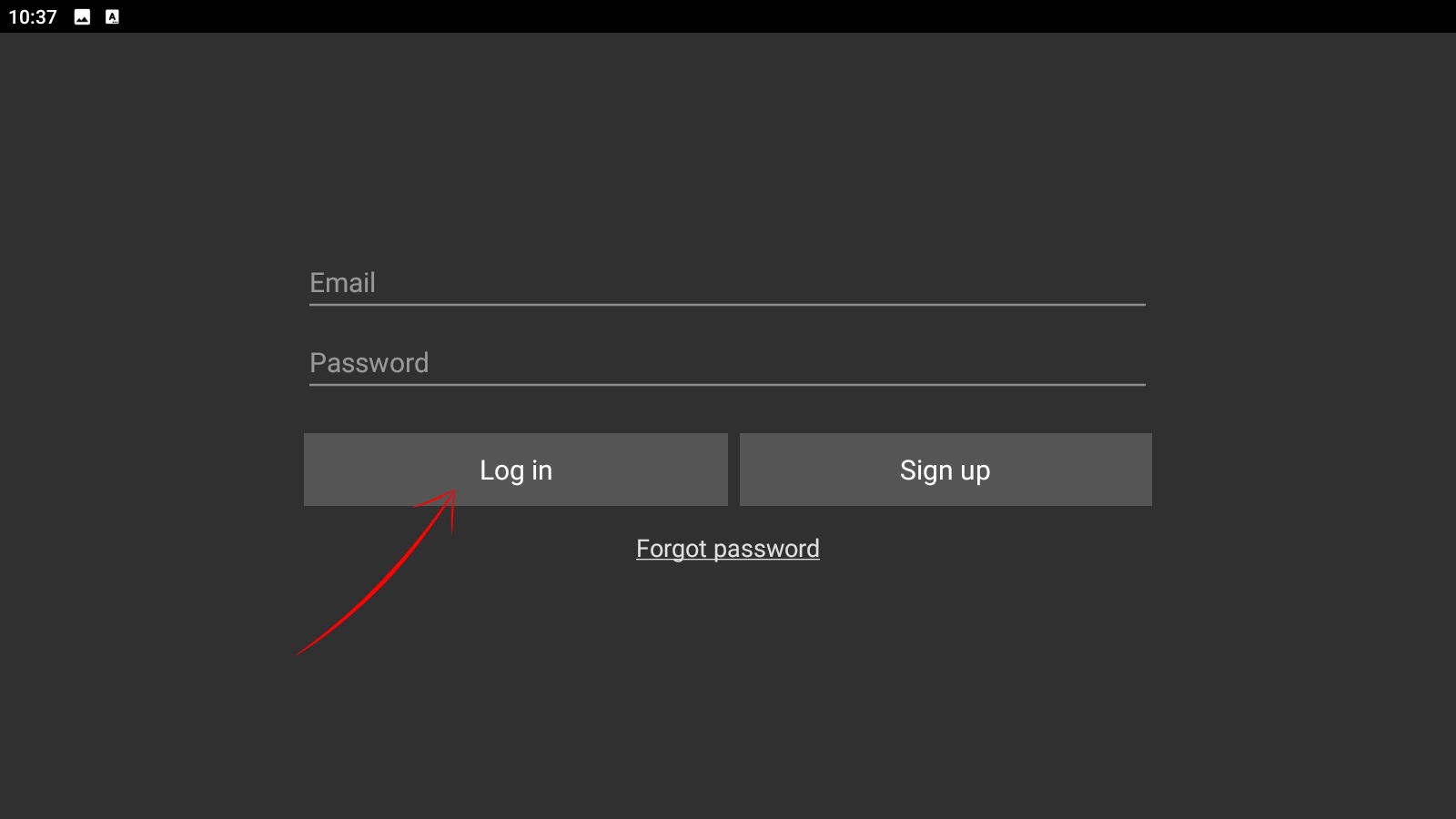
All Premium features are now available. The same account activates on up to 4 more devices.
What is TiviMate Companion?
TiviMate Companion is a separate Android app that serves two purposes:
1. Remote control — Install Companion on your phone and TiviMate on a TV device (Fire Stick, Android TV Box). Both must be on the same Wi-Fi network. From your phone you can browse channels, manage playlists and control playback on the TV screen. More comfortable than a remote for navigating large channel lists.
2. Premium activation — On Android phones and tablets, TiviMate Companion is the payment gateway for Premium. On Fire Stick and Android TV Box, you activate directly by logging into your tivimate.com account inside TiviMate — Companion is optional there.
You do not need Companion to use TiviMate or Premium on a TV device. It is a convenience app, not a requirement.
TiviMate Premium FAQ
For daily IPTV users with more than one provider, yes. The two features that justify the upgrade for most people are multiple playlists and PVR recording. At $33.99 once for a 5-device lifetime license, it is one of the lowest-cost upgrades in IPTV. If you only use a single playlist occasionally, the free version does everything you need.
The free version supports one playlist, basic EPG and live TV playback. Premium adds unlimited playlists, favorites, PVR recording, scheduled recording, multi-view, catch-up TV, full EPG customization, parental controls, subtitle track selection and a 5-device license. The free version is a functional IPTV player — Premium is for power users who want the full feature set.
TiviMate Premium costs $9.99 per year (with a 7-day free trial) or $33.99 as a one-time lifetime payment. Both plans cover 5 devices simultaneously. Prices are in USD on tivimate.com but may appear in EUR depending on your region and payment method.
One Premium license (Annual or Lifetime) covers 5 devices running simultaneously. Log in with the same tivimate.com account on each device under Settings → Account. There is no per-device registration — just log in and it activates. You can log in on more than 5 devices total, but only 5 can run TiviMate at the same time.
Yes. The Annual plan includes a 7-day free trial. Start a subscription, activate Premium on your device, test all the features over 7 days — recording, multiple playlists, multi-view — and cancel before day 7 if it is not for you. The Lifetime plan has no trial, so if you have not used Premium before, start with Annual.
No. Premium is a feature unlock — it does not change how TiviMate handles streams or improve your connection to your provider's servers. If you are buffering on the free version, you will buffer on Premium. Buffering comes from your internet speed, your provider's server load, or your ISP throttling IPTV traffic. Run the IPTV Speed Test to identify which one is the cause.
No. TiviMate is Android-only — Fire Stick, Android TV Box, Android phones and tablets. It is not available on iOS, iPhone, iPad or Apple TV. For Apple devices, the closest equivalent is Smarters Player Lite, which supports the same Xtream Codes and M3U connections.
If your Annual subscription expires without renewal, TiviMate reverts to the free tier automatically. Your playlists stay saved but only the first one remains active. Favorites, recordings and multi-view are locked until you renew. No data is deleted — renewing restores everything instantly. The Lifetime plan never expires.
This happens in some regions where TiviMate's in-app purchase is restricted. Two options: enable a VPN and switch to a US or UK server — the "Unlock Premium" button often reappears immediately. Alternatively, purchase directly on tivimate.com and activate via the TiviMate Companion app — the website account method works regardless of region.
On tivimate.com directly, or through the TiviMate Companion app on Android (Google Play billing). Do not buy from third-party sites — the only official source is tivimate.com and the Companion app. Any reseller offering TiviMate Premium cheaper is selling a shared or cracked account.
Free IPTV Tools for TiviMate Users
IPTV Checker
Test your M3U URL or Xtream Codes credentials. Shows server status, subscription expiry, channel count and response latency in seconds.
M3U to Xtream Converter
Convert your M3U playlist URL to Xtream Codes credentials. Use Xtream Codes in TiviMate for automatic EPG and fewer broken links.
IPTV Speed Test
Measure your connection speed and latency to your IPTV server. Tells you whether buffering is from your internet or your provider.
IPTV Channel Viewer
Browse and preview channels from your M3U playlist directly in the browser. Useful for checking what's in your lineup before adding it to TiviMate.